⚡ FULLY AUTOMATED
WEBSITE SEO AUDITS
IN 5 SECONDS
Automated SEO audits delivered straight to your inbox.
No calls. No meetings. Just a score, issues list, and fix guide.
BUY NOW — £19.99
// ABOUT VIC
I'm an independent developer who built this tool because SEO audits are too expensive and take too long.
FixSEO is fully automated. No agency. No sales calls. Just a clear audit report in 5 seconds.
Built with ❤️ in the UK
// HOW IT WORKS
Vic is a fully automated SEO audit tool designed to give you instant insights into your website's performance. Here's how it works:
- Step 1: Enter your website URL and email address.
- Step 2: Vic runs a comprehensive SEO and AI visibility audit in under 5 seconds.
- Step 3: You receive a detailed report with a score, issues list, and actionable fix guide.
- Step 4: Use the fixes to improve your site's search ranking and AI visibility.
Unlike traditional SEO tools that take hours or days, Vic delivers results instantly. No calls. No meetings. Just actionable insights delivered straight to your inbox.
// SAMPLE REPORT
Here's exactly what you get:
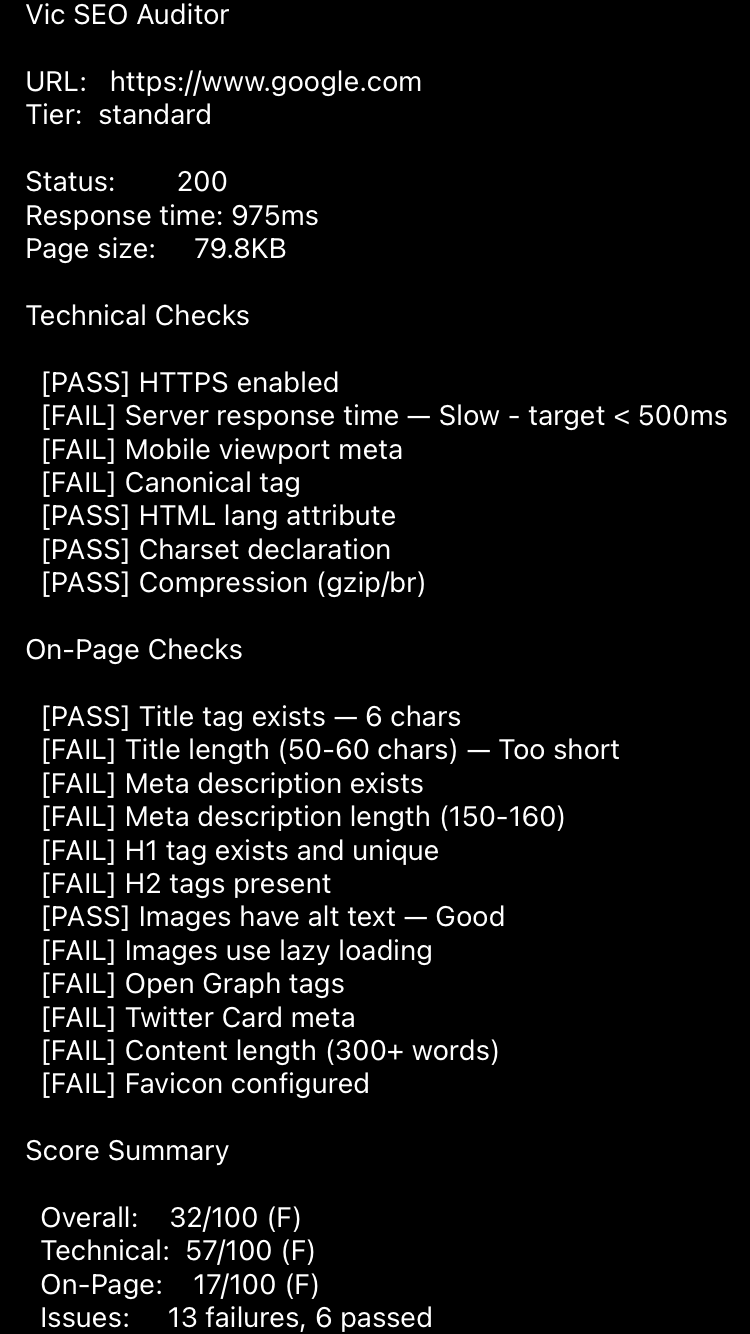
- ✅ SEO Score: 42/100
- ✅ Title tag: Missing (critical)
- ✅ Meta description: Too short (26 chars)
- ✅ H1 heading: Missing
- ✅ AI crawlers: Blocked
- ✅ 5 priority fixes with step-by-step guide
Full report delivered to your inbox in 5 seconds.
// WHY FIXSEO
Free Tools
Hundreds of warnings
Technical jargon
Multiple tools needed
FixSEO
Prioritised fixes
Plain English
One complete report
// FAQ
How long does it take?
5 seconds. The audit runs automatically.
What's included?
SEO score, issues list, fix guide, AI visibility check.
Is this automated?
Yes. 100% automated. No human involvement.
Do I need technical skills?
No. Just enter your URL and get the report.
Refund policy?
No refunds with this digital product, all sales are final.
⚡ 5 SECOND DELIVERY
🛡️ NO CALLS NO SUBSCRIPTION
🔒 STRIPE SECURE
Terms of Service
